Shopify Speed Optimisation: How to Boost Store Performance and Conversions
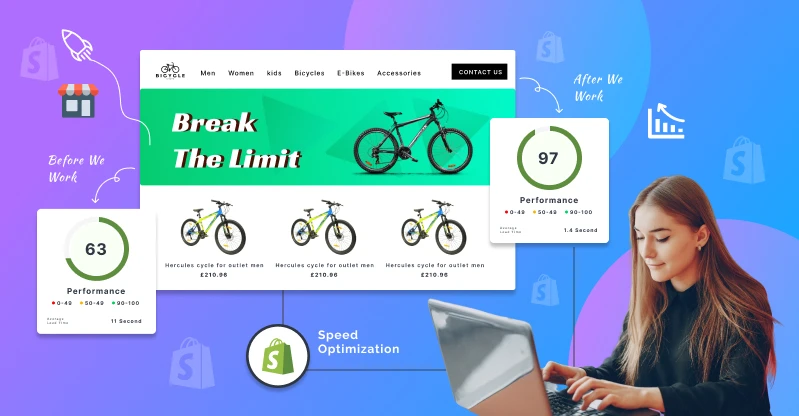
Table of Contents
Your Shopify store’s speed is not a vanity metric. It is a direct lever on revenue, conversion rates, and customer retention. Maximizing store speed improves user experience and boosts conversion rates across every touchpoint from first click to checkout. Professional Shopify development services can also help optimise your store’s theme, code, apps, and overall performance for a faster shopping experience. This guide delivers a systematic Shopify speed optimisation roadmap, starting with quick wins you can execute today and scaling to advanced techniques for enterprise-grade results.
Answer First: How to Quickly Speed Up Your Shopify Store Today
These are the fastest, low-risk fixes any merchant can execute in a single workday. No theme rebuild required, no developer queue-just disciplined cleanup that delivers measurable gains within 48 hours.
Start here:
- Remove 3–5 unused third party apps. Every idle app likely still loads scripts on every page. Uninstall and inspect your theme files for leftover code.
- Compress hero and product images. Resize to actual display dimensions and convert to WebP where possible.
- Replace homepage sliders with a single hero image. Multi-image carousels add JavaScript weight and delay your largest contentful paint LCP.
- Run a fresh Google PageSpeed Insights test. Capture baseline scores for homepage, top collection page, and your best-selling product page before and after changes.
A mid-sized fashion Shopify store we optimized in March 2026 cut homepage load from 5.8s to 2.1s in 48 hours just by removing 6 front-end apps and compressing 120 images. In a similar documented case, a fashion brand saw its mobile PageSpeed score jump from 31 to 79 after focused optimization-homepage weight dropped from 11.2 MB to 1.4 MB, and mobile revenue rose 65% in the following 30 days.
These quick wins can often recover 5–15% in lost conversion rates on slow loading pages. In some cases, the lift is significantly higher-especially on mobile devices where network variability amplifies every inefficiency.
The rest of this article outlines a full, systematic speed optimization roadmap covering measurement, theme selection, media strategy, app governance, code-level tuning, and ongoing monitoring.

What Is Website Speed Optimization for Shopify Stores?
Website speed optimization is the discipline of reducing the elapsed time between a user requesting a page and that page becoming fully usable and interactive. For Shopify stores, this means minimizing delays across every template-homepage, collection, product detail, cart, and checkout-so real shoppers can browse, add to cart, and complete purchases without friction.
Two distinctions matter:
- Page load time is a per-page metric. How long does your best-selling product page take to render on a mid-range Android phone over 4G?
- Overall site speed is aggregated across templates and user journeys. It reflects consistency of experience across your entire online store.
Key metrics every Shopify store owner should understand:
|
Metric |
What It Measures |
Good Threshold |
|
Time to First Byte (TTFB) |
Server response time | Under 500–800 ms |
|
First Contentful Paint (FCP) |
Time to display the first visible content element |
Under 1s on mobile |
| Largest Contentful Paint (LCP) | When the main above-the-fold content loads | Under 2.5s (ideally ≤2s) |
|
Interaction to Next Paint (INP) |
Responsiveness to user actions (clicks, taps) |
Under 200 ms |
First contentful paint measures the time to display the first content-whether text or an image. Largest contentful paint indicates when the main content loads, typically your hero image or primary product photo. Shopify stores load in about 1.2 seconds on average, but that average masks wide variation depending on theme, apps, and media strategy.
Google’s guidance is clear: ecommerce pages should load key content within about 2 seconds on a 4G connection for healthy conversion rates. For Shopify stores, website speed optimization means working with Shopify’s built-in infrastructure-its content delivery network CDN, automatic asset minification, and image CDN-rather than trying to replace it.
Why Shopify Speed Matters for Revenue and Conversion Rates in 2026
The relationship between page speed and revenue is not theoretical. A one-second delay can reduce conversions by up to 20%. Conversely, a one-second improvement can increase conversions by 5.6%. Every 100 milliseconds of delay can decrease revenue by 1%.
Shopify’s own 2026 internal study found that for every additional 100 ms of LCP, conversion tends to be approximately 3.5% lower, and for every 32 ms slower INP, conversion drops roughly 1.5%.
Consider a concrete scenario: a store with 4,000 daily visitors and an average order value of €75. If slow loading pages cost even 10% of potential conversions, that is €3,000–€6,000 in lost daily revenue. For stores with 5,000 visitors, a one-second delay can cost $9,000 daily.
Beyond immediate revenue, slow performance erodes long-term brand equity. Research shows 79% of customers won’t repurchase if dissatisfied with site speed. This compounds over quarters, quietly draining customer lifetime value.
Speed impacts Shopify-specific KPIs:
- Add-to-cart rate drops when product pages render slowly or images stall.
- Checkout completion rate suffers from unresponsive interactive elements.
- Returning customer rate declines if the first experience is frustrating.
Google’s core web vitals-LCP, INP, and cumulative layout shift-are now ranking signals. Google uses page speed as a ranking factor for SEO, meaning slow Shopify stores lose organic visibility alongside conversions. Over 70% of e-commerce traffic comes from mobile devices, often on variable 4G/5G connections, making shopify page speed optimization non-negotiable.
Slow performance also undermines paid media efficiency. Slow loading pages degrade Google Ads Quality Scores and Meta Ads landing page metrics, increasing cost-per-click by 5–15%. Optimizing your online store for conversions requires speed as the foundation-every other tactic underperforms on a slow loading website.
How Shopify’s Platform and Hosting Shape Your Store’s Speed
Understanding what Shopify controls versus what merchants control is essential for targeting optimization efforts effectively.
What Shopify handles:
- Global edge hosting and SSL
- Built-in content delivery network (CDN)
- HTTP/2 and HTTP/3 support
- Automatic static asset minification
- Image CDN with format and size parameters
What merchants control:
- Theme architecture and theme code
- Third party apps and external scripts
- Images, videos, and media assets
- Custom Liquid templates, CSS and JavaScript files
- Tracking and analytics tags
Shopify and Shopify Plus run on a global edge network, giving most stores a better baseline than self-hosted platforms. Shopify’s Storefront Renderer and cache layers reduce TTFB for most stores, which is why “changing servers” is almost never the solution to speed issues.
For larger brands, Shopify Plus offers additional considerations: concurrency limits during flash sales, API performance for complex integrations, and queue handling during events like Black Friday. These matter, but they are rarely the primary bottleneck.
In 90%+ of slow Shopify stores that Magneto IT Solutions audits, bottlenecks reside in theme files, apps, and media-not in Shopify’s core hosting. This is where your optimisation budget delivers the highest return.
Core Web Vitals Benchmarks for High-Performing Shopify Stores
Core web vitals are Google’s real-user speed and UX measurements. Every Shopify store should monitor them monthly against these ecommerce-tailored thresholds:
| Metric | Target | What It Means for Shopify |
|---|---|---|
| Largest Contentful Paint (LCP) | ≤ 2.5s (ideally ≤ 2s) | Time for your hero image or main product image to render |
| Interaction to Next Paint (INP) | ≤ 200 ms | How fast “Add to Cart” or filter clicks respond |
| Cumulative Layout Shift (CLS) | ≤ 0.1 | Visual stability-elements not jumping as the page loads |
On a Shopify product page, the largest contentful paint is usually the main product image or title block above the fold. In one documented Shopify Plus optimisation, LCP dropped from 4.7s to 1.9s, INP from 312 ms to 124 ms, and CLS from 0.27 to 0.04-resulting in a 17% increase in mobile conversion rate and an estimated $1.2M in incremental annual revenue.
Common causes of failing these benchmarks include heavy hero images, excessive third party apps loading synchronously, poorly sized images missing width/height attributes, and JavaScript code blocking rendering.
Where to monitor your live core web vitals data:
- Google Search Console → Core Web Vitals report (pages passing/failing)
- Google PageSpeed Insights → lab and field data per URL
- Shopify Admin → Analytics → Web Performance reports (real-user field data across templates)

How to Measure Shopify Store Speed Accurately
Relying on a single score is misleading. Merchants must combine lab tests (simulated, controlled) and field data (real users, real devices, real networks) for an accurate picture.
Shopify Admin: Navigate to Analytics → Reports → Web performance to see real LCP, INP, and CLS trends broken out by template type and device. This is field data reflecting actual visitor experience.
Google PageSpeed Insights: Google PageSpeed Insights evaluates Shopify store performance metrics across both lab and field dimensions. Run separate tests for your homepage, a top-traffic collection page, a high-revenue product page, and the cart page. Shopify’s speed score is based on Google Lighthouse audits, so these results align with how Shopify reports your performance internally.
Deeper analysis: GTmetrix provides detailed performance audits for Shopify stores, including waterfall views that expose render-blocking scripts, third party app impact, and image bloat.
Essential habit: Snapshot key metrics (LCP, INP, CLS, total page weight, request count) before and after any major theme, app, or content change.
Monthly speed health check routine:
- Test 3–5 highest-traffic pages using PageSpeed Insights
- Review Shopify Web Performance report for field data trends
- Audit installed apps for new additions or changes
- Check page weight and request counts against your performance budget
- Document findings and action items in a shared log
Main Factors That Influence Shopify Store Performance
Shopify store performance is shaped by controllable levers that merchants and agencies can directly address:
- Theme architecture: Older themes (pre–Online Store 2.0) tend to load multiple render-blocking JavaScript files and unoptimized Liquid loops.
- Third party apps: Each app typically adds JavaScript and CSS files, often loaded on every page regardless of relevance.
- Images and videos: Oversized hero images, uncompressed product photos, and auto-playing videos dominate page weight.
- Fonts: Reducing the number of custom font families and weights can enhance performance. Multiple font-face loads block rendering.
- Custom code: Inefficient Liquid templates, JavaScript code, and unused CSS add processing time and network requests.
- Tracking tags: Analytics, retargeting, chat, and social scripts from external domains compound latency.
Typical problem patterns Magneto IT Solutions identifies in audits: legacy theme customizations no longer needed, abandoned app code left in snippets, oversized hero videos, and collection pages loading hundreds of product cards without pagination.
Some overhead is inevitable in feature-rich Shopify stores. The key is maintaining disciplined performance budgets-max page weight, max requests, target LCP-so that every addition is weighed against its cost. The following sections detail specific mitigation strategies for each factor.
Choosing and Tuning a Fast Shopify Theme
Theme choice is one of the highest-impact decisions when you build a successful Shopify store, especially for brands replatforming or redesigning in 2024–2026. Choosing a lightweight and optimised theme improves site speed from day one.
Favor current Online Store 2.0 Shopify themes (such as Dawn or other performance-focused options) over older, heavily-scripted alternatives. OS 2.0 themes offer built-in performance scaffolding: streamed sections, app blocks, improved lazy loading, and leaner asset delivery.
How to evaluate candidate themes:
- Load the theme’s demo store on your mobile device
- Run the demo URL through Google PageSpeed Insights
- Check above the fold content rendering: does the hero load quickly? Is there a slider?
- Inspect JS/CSS bundle sizes and font loads in the network waterfall
- Verify how third party apps integrate (app blocks vs. injected scripts)
Tuning your existing online store theme:
- Remove unused sections, sliders, badges, and animations from high-traffic templates
- Disable features you never activated-each adds CSS and JavaScript weight
- Replace app-based features (simple pop-ups, announcement bars, badges) with lightweight theme-native or custom code alternatives
For larger merchants requiring custom UX, Magneto IT Solutions’ Shopify development services include theme refactoring or full rebuilds designed with performance-first architecture from wireframe stage onward.
Optimizing Images and Videos Without Sacrificing Visual Quality
Product and lifestyle images often account for 50–80% of page weight in Shopify stores and are a primary driver of slow loading pages. Optimizing assets can significantly reduce page weight and accelerate every template.
Image optimization best practices:
- Images should be compressed and resized before uploading to match actual display dimensions
- Using WebP format can reduce image file sizes by 30%. Using WebP images can save 26–34% in file size compared to JPEG/PNG equivalents
- Shopify automatically compresses images for faster loading, but starting with pre-optimized files yields better results
- Target typical product images under ~200 KB; hero images may be larger but require extra attention
- Replacing GIFs with static images can improve site speed significantly on collection and product pages
- Compressing images can significantly speed up Shopify sites-in one fashion brand project, mobile load time dropped from 6.5s to 2.2s after image optimization and app cleanup
Tools: TinyPNG/TinyJPG, ImageOptim, or build-pipeline compression integrated into your DAM or PIM workflow.
Lazy loading strategy: Lazy loading should be implemented for below-the-fold images. Never lazy-load the main above the fold content (hero or product image)-instead, use fetchpriority=”high” and preload hints. Enable lazy loading for secondary gallery images, recommendation carousels, and review sections. Lazy loading defers offscreen images until they are needed, reducing initial page weight.
Video: Avoid auto-playing full-screen video heroes. Host on YouTube or Vimeo and use lite embeds that only load the player on user interaction. This keeps initial page load fast while preserving visual richness.
Magneto IT Solutions often combines media audits with broader UX redesign to balance brand visuals with fast website performance.

Managing Third Party Apps and External Scripts
Too many apps is one of the most common-and most fixable-causes of slow performance on Shopify stores. Apps can add significant JavaScript and CSS files to your store, increasing network requests and potentially blocking rendering. Third-party apps can add unnecessary JavaScript and slow down loading speed even when the app’s visible functionality is not present on a given page.
Unused apps can still load scripts and slow down performance. Removing unnecessary Shopify apps improves store speed immediately.
Quarterly app audit process:
- List all installed Shopify apps from the Shopify App Store and custom installs
- For each app, assess: Is it actively used? What is its business value? What is its performance cost?
- Remove low-value or redundant apps
- After uninstalling, check theme.liquid, layout files, and snippets for leftover scripts, styles, or tracking pixels
- Choose apps optimized for speed to minimize performance impact going forward
Regularly audit installed apps to maintain optimal speed. In one documented case, removing 14 apps and deferring 8 non-critical ones reduced INP by 114 ms-contributing approximately 7% of the total conversion lift in that project.
Script loading strategy:
- Use asynchronous or deferred loading for non-critical scripts: chat widgets, secondary analytics, social share buttons
- Consolidate marketing and analytics tags via Google Tag Manager to reduce inline script clutter and eliminate duplicate tracking
- Avoid loading shopify apps slow-performing scripts synchronously in the document head
Code-Level Shopify Speed Optimization (Liquid, CSS, JavaScript, HTML)
While Shopify handles server infrastructure, merchants and agencies control template logic and front-end code-which can heavily affect shopify speed and perceived load speed.
Key practices:
- Minify CSS and JavaScript files. Remove whitespace, comments, and dead code. Eliminate unused styles by auditing which CSS selectors are actually referenced in key templates.
- Split large scripts. Only load functionality needed for the current template. A cart-specific script should not load on every collection page.
- Defer non-critical JavaScript to improve initial page load rendering. Use async or defer attributes on non-essential JavaScript files to avoid blocking HTML parsing and improve first contentful paint FCP.
- Create critical CSS for above the fold content. Inline only the styles needed for the first viewport; defer everything else to speed up initial rendering.
- Optimize Liquid loops. Avoid iterating over large collections or nesting loops within loops. Use pagination, server-side filtering, and targeted queries to reduce processing.
- Lean HTML. Reduce DOM depth and nesting. Remove unused classes and obsolete markup.
Magneto IT Solutions typically performs a structured performance audit-profiling, refactoring, and regression testing-for mid-market and enterprise Shopify Plus clients. Every code change is tested across devices and connection speeds to ensure no functional regressions before deployment.
Leveraging Shopify’s CDN and Global Performance Features
Shopify uses a built-in CDN powered by Fastly that automatically serves static assets-images, CSS files, JavaScript-from edge nodes close to visitors. A CDN reduces latency by delivering content from nearby servers, and Shopify’s CDN ensures fast content delivery for international customers across North America, Europe, and APAC.
CDNs help protect against traffic spikes and security threats, which matters during peak events like flash sales or product launches. Shopify’s CDN minimizes latency for mobile users as well, provided assets are not being pulled from external non-CDN domains.
Merchants usually do not need an extra CDN layer. What they do need is to ensure:
- Assets are cacheable with proper HTTP cache headers
- Query-string cache busting is not breaking caching unnecessarily
- Hero images are preloaded so browsers request them early
- External scripts are not undermining CDN benefits by loading from distant servers
HTTP/2 and HTTP/3 support on Shopify enables multiplexing (multiple concurrent requests over a single connection) and header compression, which helps pages load faster when many small assets are requested simultaneously. Browser caching works in concert with CDN caching to ensure returning visitors experience near-instant load times.
Prioritizing Above the Fold Content and Mobile-First Performance
Above the fold content is everything visible on initial load without scrolling. Optimizing this region has outsized impact on perceived load speed and LCP because it is what visitors see-and judge-first.
Simplify hero areas:
- Replace heavy carousels with one static hero image, a clear headline, and a single CTA
- Preload the hero image and assign fetchpriority=”high”
- Minimize decorative elements and animations in the first viewport
Mobile-first strategy: Over 70% of e-commerce traffic comes from mobile devices. A one-second delay can reduce mobile conversions by up to 20%. Design and test primarily on common mobile devices and slower connections, not just fast desktop setups. Implementing lazy loading for below-fold content on mobile pages reduces initial payload and helps pages load faster.
Limit early network requests on mobile: fewer font families, smaller images, minimized third party apps in the first viewport. Consider using system fonts for body text to eliminate font-loading delays entirely.
A/B testing minimalist versus media-heavy hero variants quantifies the actual conversion impact. Data-driven decisions about mobile UX prevent subjective design preferences from undermining performance for mobile shoppers and mobile users.

Reducing Redirects, Broken Links, and HTTP Requests
Each redirect chain and unnecessary HTTP request adds latency-especially noticeable on international or slower connections. Redirects and broken links waste crawl budget and degrade both user experience and search engine rankings.
Action steps:
- Crawl your Shopify site regularly with tools like Screaming Frog or Sitebulb to identify 301/302 chains, 404 errors, and broken links
- Fix internal linking: update old URLs, consolidate domain versions, eliminate unnecessary redirect hops
- Consolidate CSS and JavaScript files where feasible to reduce request counts without losing cache efficiency
- Remove references to obsolete assets (old images, scripts from uninstalled apps) that still trigger network requests
Site architecture benefits: Clean internal linking improves crawl efficiency for every search engine, strengthens signals for important pages, and supports better core web vitals scores. A well-structured Shopify site with minimal redirects passes more link equity and loads more predictably.
A practical example: reducing product thumbnails per page from 48 to 24 and enabling pagination on a collection page cut page load time by 1.3 seconds and reduced total requests by 40%-directly improving both load speed and visual stability.
Advanced Techniques: Lazy Loading, AMP, and Checkout Optimization
Once foundational optimizations are in place, larger Shopify stores and Shopify Plus merchants should consider these advanced techniques.
Intelligent lazy loading: Implementing lazy loading strategically on long-scrolling collection pages, blog content, and user-generated content prevents massive initial payloads without delaying primary product content. Lazy loading images improves mobile page load times significantly on content-heavy pages. The key is never lazy-loading above-the-fold hero or product images.
Accelerated Mobile Pages (AMP): Mobile Accelerated Pages (AMP) can significantly enhance mobile SEO for content-heavy sections like blogs and editorial landing pages. Shopify AMP solutions exist via apps and headless commerce implementations, though trade-offs include feature limitations and maintenance overhead. AMP is most valuable where content marketing drives significant organic traffic.
Checkout optimization: Checkout speed directly affects mobile conversion rates. Ensure express payment methods (Shop Pay, Apple Pay, Google Pay) are prominent. For Shopify Plus merchants, minimize custom scripts and images in checkout templates. Every second of delay in checkout amplifies cart abandonment.
Headless and hybrid setups: For enterprise clients requiring ultra-fast landing pages, headless or hybrid storefronts decouple performance-critical UX from commerce logic. Magneto IT Solutions architects these setups where performance-critical pages use optimized front-end frameworks while Shopify manages catalog, cart, and checkout.
Monitoring, Governance, and a Repeatable Speed Optimization Routine
Shopify speed optimization is not a one-time project. New products, media uploads, app installations, and theme updates introduce regressions. Monitoring performance metrics helps identify speed issues and optimization opportunities before they erode your store’s performance.
Establish a performance budget per template:
| Template | Max Page Weight | Max Requests | Target LCP | Target INP |
|---|---|---|---|---|
| Homepage | 2.5 MB | 70 | ≤ 2.0s | ≤ 150 ms |
| Collection | 2.0 MB | 60 | ≤ 2.0s | ≤ 150 ms |
| Product | 2.0 MB | 55 | ≤ 2.0s | ≤ 150 ms |
| Cart | 1.5 MB | 40 | ≤ 1.5s | ≤ 100 ms |
Quarterly governance routine:
- Run speed tests on critical templates (lab + field data)
- Audit all installed Shopify apps-remove or defer any that no longer justify their performance cost
- Audit media library for oversized or unused images
- Check for leftover scripts from uninstalled apps
- Review external tracking scripts for duplication or unnecessary loads
- Test any new features for web performance impact before deployment
- Document all changes and results in a shared log
Assign clear ownership for performance within your ecommerce or IT team. Integrate speed checks into your release process: no major theme or app change goes live without at least one PageSpeed Insights and WebPageTest run against your established budgets. For teams without dedicated performance engineering resources, partnering with a specialist agency ensures discipline and continuity.
How Magneto IT Solutions Helps Enterprise and Mid-Market Brands Speed Up Their Shopify Stores
Magneto IT Solutions is a global digital commerce and growth marketing agency specialising in Shopify Plus, headless commerce, and performance optimisation for mid-market and enterprise brands. As experienced Shopify Partners, we approach Shopify page speed optimisation not as an isolated technical exercise, but as a revenue discipline integrated into your broader ecommerce website strategy.
Typical engagement steps:
- Discovery and measurement: Comprehensive audit capturing baseline field and lab metrics across all key templates
- Technical and UX audit: Deep analysis of theme code, apps, media, custom JavaScript code, CSS files, and UX patterns
- Prioritized roadmap: Quick wins (immediate), medium-term theme refactoring, and long-term architecture recommendations
- Implementation: Theme optimization, app rationalization, image strategy, script deferral, and code cleanup
- Ongoing monitoring: Continuous performance governance with monthly reporting and regression prevention
We bring experience with complex B2B, B2C, and D2C setups, including integrations with PIM, DAM, CRM, and OMS platforms where website performance optimization and reliability are critical to the ecommerce platform performing at scale.
In 2025, we helped a European apparel brand reduce LCP on key product pages from 4.9s to 2.3s and lift mobile conversion rates by 18% within 90 days-translating directly to measurable incremental revenue.
A good shopify speed score is not an endpoint. It is the baseline from which your online store’s performance compounds into sustained growth. Speed up your Shopify store with a data-driven roadmap aligned to your business goals.
Ready to benchmark your Shopify site speed against competitors and tie performance targets to revenue outcomes? Connect with a Magneto IT Solutions Shopify expert to start your performance assessment today.