How to Set Up BigCommerce Salesforce Integration for Seamless Operations
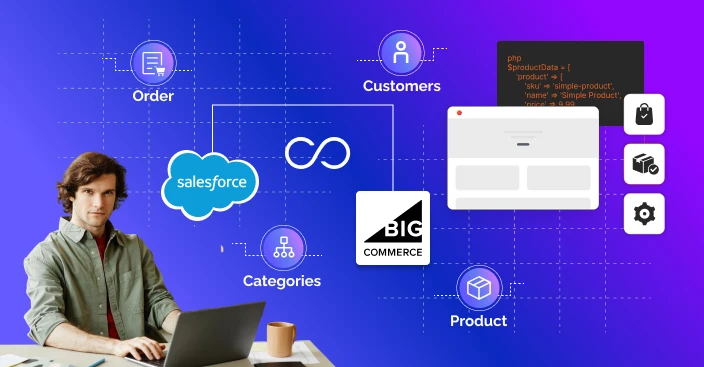
Table of Contents
A lot of companies are moving their activities online these days. Simplified backend processes are becoming necessary rather than optional due to growing consumer expectations and the marketplace.
When combined, the effective platforms of BigCommerce and Salesforce can significantly contribute to customer happiness and workplace efficiency.
Salesforce provides excellent customer relationship management (CRM) solutions, while BigCommerce runs online stores. Your sales, marketing, support, and inventory teams will always be in sync if you integrate these systems.
You can integrate BigCommerce with Salesforce by following this complete approach. We’ll break it down into doable phases, go over your alternatives, and show how you may carry out the connection precisely by working with a team of professionals.
What is BigCommerce Salesforce Integration?
The process of connecting the Salesforce CRM system with your BigCommerce online store is known as BigCommerce Salesforce integration.
To make sure that Salesforce automatically receives data from your eCommerce platform, including orders, customers, items, and inventory, and vice versa is the aim. This simplifies your company’s processes, eliminates human labor, and lowers mistakes.
Smart workflows allow you to automate information updating and remove the need for employees to manually switch between platforms. This helps your team make better, faster decisions while also saving time.
Why is Integration So Important?
Managing operations across multiple platforms becomes wasteful as your online business grows. Integration helps companies in lot of ways:
- Create a Single Truth Source: Every department can use the same data in real-time as your data stays consistent across platforms. In this way, inequalities in records are eliminated.
- Improve Customer Experience: Service employees can address problems more quickly and adapt answers when customer data, order information, and support questions are all in a single place.
- Minimize Human Errors: When manually transferring data from BigCommerce to Salesforce, human error frequently occurs. Accuracy is ensured via integration. Studies show that 70% of data entry errors in business systems occur due to manual handling, which can be significantly reduced through integration.

- Increase Revenue & Marketing: Make targeted product suggestions and advertising campaigns based on consumer behavior and order history.
- Support Scalable Operations: Thanks to automated processes, your systems can manage growing data quantities as your business grows without needing an equal rise in employees or effort.
Pre-Integration Checklist: What You Need
The following supplies and access should be gathered before starting the integration:
Account Admin for BigCommerce: Complete admin access to the store is required in order to create APIs and install apps.
- Salesforce Admin Account: Needed for API integrations, permissions, and object configuration.
- API credentials: Tokens, client ID, and client secret for both platforms.
- Clearly define the business objectives you wish to align: orders, clients, inventory, and products.
- Whether you’re dealing with a Salesforce app development company or a BigCommerce development agency, you’ll need skilled technical help.
Knowing exactly what data should be sent across systems might help avoid future unnecessary delays in the integration process.
Choosing Between Plug and Play and Custom Integration
Depending on your finances and the specifics of your needs, there are two main methods More than 52% of small businesses use third-party integration tools to connect their CRM and eCommerce systems due to ease of use and lower setup costs:
A. Plug-and-Play Integration Tools from Third Parties
These are simple to use and don’t require any prior knowledge of coding. Perfect for small and medium-sized enterprises
B. Custom API Integration
Suggested for companies with distinct processes, substantial data sets, or certain regulatory requirements. A Salesforce custom development team or development resources are needed.
In-Depth: Setting Up Integration with Third-Party Tools
Integration is eased by third-party technology with pre-built interfaces for both systems.
Step 1: Register and Set Up the Platform
Select an integration tool like MuleSoft, Celigo, or Zapier. Make an account and set up access to Salesforce and BigCommerce.
Step 2: Verify your BigCommerce identity
- Open the dashboard of the connection.
- Insert your BigCommerce API login information.
- Permit read/write access based on your needs for synchronization.
Step 3: Authenticate Salesforce
- Provide Salesforce admin credentials
- Allow permissions to access leads, accounts, orders, and custom objects
Step 4: Set Up Workflows (Zaps, Flows, or Recipes)
Define automated actions such as:
- New order in BigCommerce → Create a new opportunity in Salesforce
- Update product in BigCommerce → Sync to Salesforce product object
- Customer signs up on BigCommerce → Add as lead in Salesforce
Step 5: Test Extensively
Before going live, run test workflows to confirm that data is syncing as expected. Check object mapping and data formatting.
Step 6: Launch and Monitor
Launch procedures when testing ends, then monitor activity logs and resolve any problems using the dashboard.
Deep Dive: Integration of Custom APIs (For Maximum Control)
You can control every part of the data flow with a specific integration if your operations are more sensitive or specialized.
Key Steps Involved:
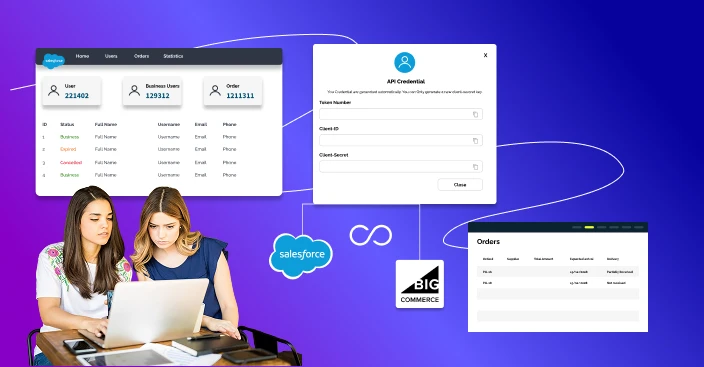
Generate API Access
- In BigCommerce: Go to Advanced Settings → API Accounts → Create a new account
- In Salesforce: Create a connected app with required scopes and enable OAuth
Build a Middleware Application
- Use languages like Node.js or Python
- Acts as a go-between that fetches, transforms, and posts data
Develop and Map Data Models
- Map BigCommerce’s data fields (e.g., customer_email) to Salesforce objects (e.g., Contact.Email)
- Customize Salesforce objects via salesforce application development if necessary
Implement Error Handling
- Create error logs and retry mechanisms for failed API calls
Automate Syncing with CRON Jobs
- Decide on data refresh frequencies, such as hourly, every ten minutes, or in response to events.
Secure the System
- Use encrypted API calls
- Set user-level permissions and follow data compliance standards
Custom integrations take longer but offer full flexibility and are better suited for scaling and customization.
Data Points You Can Sync Between Platforms
Here’s a thorough list of what data can be synced during integration:
- Customer information, past purchases, and preferences.
- Orders: Order ID, product list, shipping and invoicing information, and status of payment.
- Products: price, availability, categories, SKUs, and descriptions.
- Stockpile: Current stock levels and warehouse locations.
- Exchanges and Refunds: Refund approvals, reason codes, and status.
- Email subscribers and abandoned carts are examples of marketing data.
- Tracking numbers, carrier information, and shipping.
With salesforce custom development, you can also create custom objects to reflect unique BigCommerce attributes.
Security Measures for Integration
A big worry is data security, particularly when private client information is being moved across platforms.
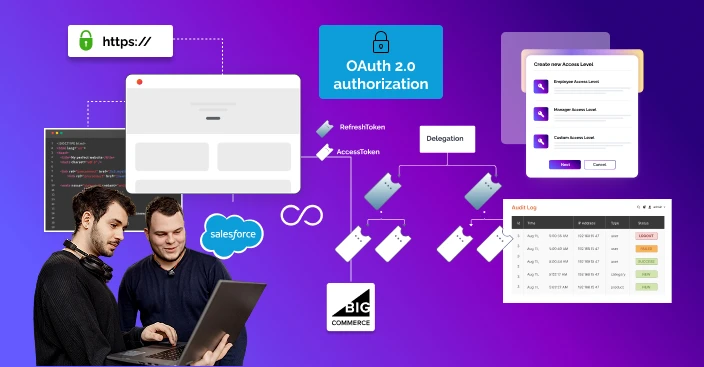
- Secure application access is ensured via OAuth 2.0 authorization.
- Termination and Renewal of Tokens: Use transitory access tokens with refresh procedures
- Protocol HTTPS: Data flow for every endpoint is encrypted.
- Using roles and permissions, field-level access control limits access to sensitive fields.
- Keep track of audit logs to see who has accessed or changed data.
Don’t be afraid to seek guidance from a Salesforce development services partner who is aware about security compliance and suggestions.
Business Use Cases That Benefit from Integration
Case 1: Automating Customer Loyalty
- Customer places an order on BigCommerce
- Order and profile are sent to Salesforce
- Customer is added to a loyalty program
- Points are calculated and auto-updated based on purchases
Case 2: Advanced Segmented Email Campaigns
- Sync customer purchase history with Salesforce
- Segment users by purchase behavior (e.g., frequent shoppers, high spenders)
- Use Salesforce Marketing Cloud to trigger campaigns automatically
Case 3: Streamlining Support Tickets
- Support team sees real-time order data in Salesforce
- Reduces resolution time for product issues and return requests
A few instances of how an integrated system increases customer satisfaction and saves time are as follows.
Cost of BigCommerce Salesforce Integration
Business size, integration strategy, and partner fees are some of the variables that affect integration expenses.
Estimated Costs:
Third-Party Tools:
- Tool Subscription: $50–$300/month
- Setup Fee: $500–$2,000 one-time
Custom API Development:
- One-time Setup: $2,000–$10,000
- Developer Charges: $50–$150/hour
- Ongoing Maintenance: $500–$2,000/month
Agency Services:
Although hiring a Salesforce app development firm or a BigCommerce development company can lead to more initial costs, it usually leads to more long-term value and fewer blunders.
Best Practices for a Smooth Integration
Build Business Goals Evidently
Decide the procedures you wish to automate. For instance, synchronizing orders, inventory, or customers.
Start small and grow Gradually
Start with a basic sync procedure, test it thoroughly, and then go on to more complicated data sets.
Invest on High-Quality Records
Keep thorough records of user access, API endpoints, processes, and mappings.
Involve Multidisciplinary Teams
When defining needs and workflows, include feedback from the IT, customer service, marketing, and sales departments.
Track Post-Launch Activities
Make sure everything is functioning properly by routinely reviewing logs and stats.
Stay Updated with Platform Changes
BigCommerce and Salesforce often update their APIs. Keep your integration up to date.
How to Choose the Right Development Partner
Not all agencies are equipped to handle cross-platform integrations. Here’s what to look for:
- Experience with both BigCommerce and Salesforce APIs
- Proven case studies or references
- Ability to handle custom requirements
- Support for post-integration maintenance
- A clear communication process
Look for an experts to get end-to-end services from planning to execution.

Conclusions
BigCommerce & Salesforce integration is a strategic choice that improves customer happiness, increases operational performance, and positions your business for growth. It’s not just a technical exercise.
Whether you choose a plug-and-play product or a particular integration, careful planning and execution are required.
By working with professionals from a credible BigCommerce or Salesforce application development company, you can avoid problems and increase the features of both platforms.
Remember that creating a unified business system that expands with you is the target, not merely syncing data. According to McKinsey, businesses that adopt digital integration strategies grow their revenues 2.5 times faster than those that rely on siloed systems.”
Are you having trouble getting started? Contact a trusted BigCommerce website development partner or a licensed Salesforce app development company to start your connection process right now.
FAQs
 What are the common challenges in BigCommerce Salesforce integration?
Common challenges include:
- Data mapping issues: data in BigCommerce may not correspond directly with Salesforce data, thus they must be properly mapped.
- Real-time sync issues: If not configured properly, data may sync with delays or errors.
- Customization requirements: Because each organization has unique workflows, one-size-fits-all integrations may not be adequate.
- Technical complexity: Usually, integrating two separate platforms requires the assistance of a developer, a BigCommerce development agency, or a Salesforce development firm.
With proper preparation and experienced assistance, these problems may be overcome.
Is real-time data sync possible between BigCommerce and Salesforce?
Yes, real-time data sync is possible. You can sync customer details, orders, inventory, and more in real time using either:
- A third-party integration tool like Zapier, Celigo, or Mulesoft
- A custom API integration built by a development company.
This ensures that your data stays up-to-date across both platforms.
How does integration improve customer service and sales automation?
When BigCommerce and Salesforce are connected:
- Customer data from the online store flows into Salesforce automatically.
- Support teams can quickly access order history and respond faster.
- Sales teams get alerts for repeat purchases or abandoned carts.
- Marketing can personalize emails and promotions based on real-time shopping behavior.
This saves time, reduces manual work, and helps your team offer better service and close more sales.
Do I need coding skills to integrate BigCommerce with Salesforce?
If you’re using basic third-party tools like Zapier or Automate.io, you usually don’t need to write code. But for advanced workflows, custom automation, or two-way syncing, it’s better to hire a development agency to build it for you.
Do I need coding skills to integrate BigCommerce with Salesforce?
If you’re using basic third-party tools like Zapier or Automate.io, you usually don’t need to write code. But for advanced workflows, custom automation, or two-way syncing, it’s better to hire a BigCommerce development agency or a Salesforce app development company to build it for you.