Step-by-Step Guide to Migration from Magento Open Source to Adobe Commerce

Table of Contents
Adobe Experience Manager is Adobe’s enterprise experience platform, while Adobe Commerce is its cloud-native eCommerce platform; for businesses planning a Magento Open Source upgrade, Adobe Commerce is the relevant solution for scalable selling, stronger security, AI-powered personalization, and more efficient backend operations.
Migration to Adobe Commerce from Magento Open Source is one of the most strategic steps a growing eCommerce business can take. It is especially relevant for eCommerce business owners, technical teams, and stakeholders who need to improve customer experience, support growth, and reduce the operational limits of an open-source setup.
Adobe Commerce not only offers advanced B2B and personalization capabilities but also an elastic cloud-native architecture built for performance and scale. That makes it a practical next step for brands that need enterprise-grade features, tighter control over security, and a platform that can support long-term revenue growth.
In this blog, we walk through why businesses migrate from Magento Open Source to Adobe Commerce, how to plan and execute the migration step by step, what features and business benefits change after the move, and how to handle security, scalability, personalization, and post-migration optimization for better ROI in a more competitive digital commerce market.
Why It’s High Time to Migrate from Magento Open Source to Adobe Commerce Platform?
Enterprise-Grade Features of a Content Management System
Adobe Commerce is filled with features that Magento Open Source just can’t match. Starting from better recommendations powered by AI, to managing catalogs, orders, and every feature is combined in this platform.
With the help of Adobe Sensei, brands can easily create lists and customize catalogs, automate tasks for ensuring personalized experience, leading to better satisfaction and loyalty.
Cloud Service Scalability
With the help of Adobe Commerce Cloud, brands can get benefits like managed hosting, ensure automated backups, auto-scaling and CDN support.
It will help to ensure better management with highly secure platform to ensure the site performs even in high traffic spikes, seasonal times, without any downtime and performance issues.

Ultimately, helping the brands to scale. This is where Magento’s open-source platform is lacking due to limited features.
Ultimately, helping the brands to scale. This is where Magento’s open-source platform is lacking due to limited features.
Strong Security
Adobe Commerce is designed with enterprise-grade security capabilities that protect business and customer data. Enterprise-grade security capabilities like PCI compliance, Web Application Firewall (WAF), DDoS mitigation, and patching on a regular basis are in-built.
It minimizes vulnerabilities by leaps and bounds over magento ecommerce solutions, where it is generally the business that becomes compliant and installs updates. With Adobe Commerce, security is in-built and trusted as part of the environment.
Return on Investment (ROI)
Regardless of the fee for licensing and services, the investment payback is astronomical. IDC research shows that companies save around $45,000 in 10,000 post-migration transactions through improved conversion, less downtime, and simplified operations.
The return on investment in the long term is many times over the initial investment, making Adobe Commerce an excellent option for companies that want to future-proof their online presence.
Broad Acceptance
Increased use of Adobe Commerce demonstrates its success and applicability in the digital commerce market.
Up to this point, as of 2025, Magento Open Source and Adobe Commerce combined strength powers more than 131,000 online stores and handles a combined $155 billion in GMV each year, increasing to $173 billion by 2025.
This is not only seen but also reflects the means by which companies are embracing Adobe Commerce in an attempt to remain competitive.
Pre-Migration Planning
Audit Your Store
Your initial stage of a successful migration is to perform a correct audit of your current Magento Open Source store. It entails an itemization of the extensions you currently have, custom code that you own, third-party integrations, and themes.
Knowing what you have in working order, what does not function well, and where your company gets bogged down will allow you to prioritize the migration. This preparation stops any core functionality loss in the migration.
Set Clear Goals
A goalless migration project readily becomes bogged down in delays and expenses. Measurable goals like better page load time, increased mobile conversion rates, B2B process simplification, or enhanced personalization keep your migration goal-oriented.
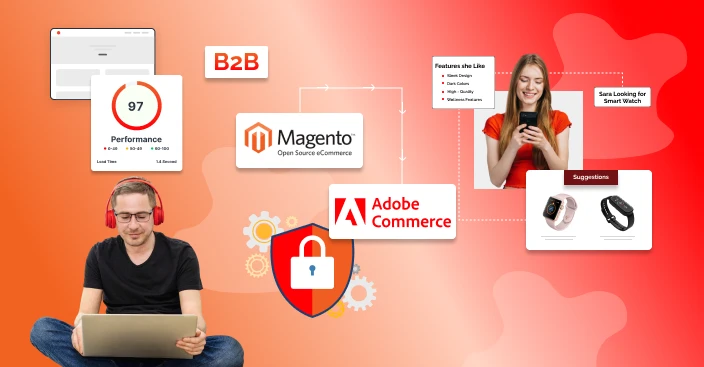
Not just do these goals serve as indicators of success, but your business stakeholders and technical team also remain on track throughout the project life cycle.
Build Your Team
Migration is not simple and includes data transfer, code updating, testing, and deployment to the cloud. The right team—internal or external, makes all the difference.
Many organizations depend on Adobe Commerce development services from seasoned agencies to get a smooth process.
A professional adobe commerce development team can foresee issues, debug problems, and set up to optimize, and you get maximum ROI for your investment.
Select Deployment
Before beginning migration, decide how Adobe Commerce will be hosted—on-premises or cloud. Most businesses favor Adobe Commerce Cloud solutions because they offer managed hosting, built-in scalability, and better performance monitoring.
Businesses with unique infrastructure requirements, nonetheless, can utilize on-premises hosting. Deciding on this well in advance will influence technical configurations as well as budgeting, so your migration suits your business model.
Step-by-Step Migration Process
Step 1: Prepare the Development Environment
The setup of a simulated environment is the initial technical milestone of migration. Your simulated environment must be identical to your live Magento store in version, database schema, and settings.
It provides developers with a separate location where they can experiment with migration processes without impacting ongoing sales.
With the creation of a safe and contained environment, companies can test, debug problems, and streamline processes before proceeding to the actual production store.
Step 2: Data Migration
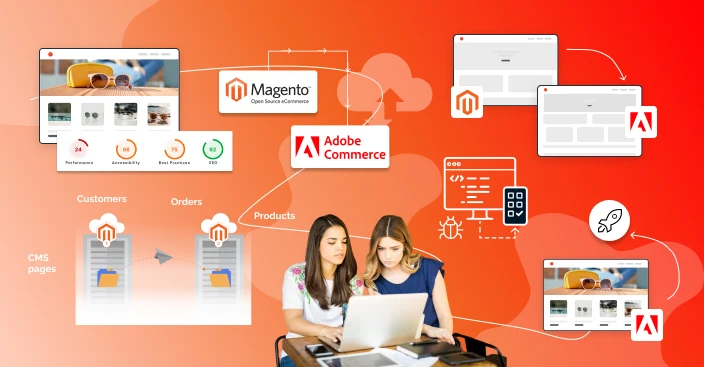
Adobe offers an effective Data Migration Tool that streamlines the data migration process of storing data. The tool runs in three modes: Settings Mode (system settings), Data Mode (customers, products, and orders), and Delta Mode (incremental updates recorded during migration). All the modes maintain data integrity and consistency. Migrating hundreds of data using this tool does not affect customer and product catalogs due to autonomous migration
Step 3: Extensions, Themes, and Custom Code
Magento Open Source websites are dependent mostly on third-party extensions as well as custom modules, and Adobe Experience Manager Assets is the Adobe Experience Manager module most relevant to digital asset management during asset migration and governance. During migration, every extension has to be reviewed to determine compatibility with Adobe Commerce. Adobe Experience Manager Assets can centralize digital assets in a shared environment.
A few need to be upgraded, and some might need adobe solutions with Adobe-native capabilities to replace them. AEM Assets is available in Prime and Ultimate versions. Themes also have to be rebuilt or redesigned for the Adobe Commerce frontend stack.
This is an important step since site aesthetics, customer experience, as well as backend functionality are all dependent directly upon it. AEM also provides built-in governance features such as version control and permissions to support brand consistency, and it integrates with Adobe Express for asset creation and on-brand asset variations during ongoing content operations.
Step 4: Third-Party System Integration
Most contemporary eCommerce companies rely on ERP, CRM, payment gateway, and third-party platform integrations. In migration, these have to be re-established, configured, and tested. Adobe Commerce comes with a lot of integration options.
As part of the broader adobe solutions ecosystem, adobe experience manager aem works alongside Adobe Analytics, Adobe Campaign, and Adobe Target to support analytics, marketing performance, and personalization. Apart from this, you can get desired integrations for any other preferred system. This integration layer supports content delivery across digital channels and helps deliver consistent customer experience.
Step 5: SEO and URLs
One of the greatest migration threats is losing hard work SEO rankings. SEO involves migrating properly the metadata, product descriptions, canonical tags, and structured data.
With every structural change in URLs, 301 redirects also need to be used to maintain traffic continuity. With the implementation of SEO migration, brands can get better visibility, organic traffic and reach.
Step 6: Testing & Performance Optimization
There must be extensive testing prior to going live. Functional testing validates that features such as checkout, search, and payment processing act as expected. Performance testing validates how the system will react to high traffic volumes.
Mobile testing is very critical—Adobe Commerce stores achieve a 3.7% mobile conversion rate in 2025 versus the industry standard of 2.9%. Performance optimization will reap even smoother user experiences and improved ROI post-migration.
Step 7: Delta Sync Go-Live
After the testing is done, migration proceeds to the go-live phase. Here, the Data Migration Tool’s Delta Mode is executed in order to record orders, customers, or products introduced since the first migration.
After ensuring sync, companies can change their domain to the new Adobe Commerce store. This step calls for strict monitoring for zero downtime, seamless checkout flows, and rock-solid backend performance.
Step 8: Post-Migration Optimization
Migration isn’t over at go-live. Post-migration optimization enables businesses to unlock the full power of Adobe Commerce. Adobe Experience Manager Sites can support post-launch content creation and personalized experiences across web pages and mobile apps.
This involves turning on higher-end capabilities such as visual merchandising, AI-powered personalized product recommendations, content variations for different audience segments, and customer segmentation with Adobe Sensei in Experience Manager Sites.
For B2B businesses, they can turn on capabilities such as request-a-quote, custom catalogs, and purchase approval; it will further help to ensure long-term stability and better results.
Key Benefits and Business Impacts
Transaction Growth
Adobe Commerce performance has been demonstrated to be scalable for the purpose of dealing with massive events.
During Black Friday in 2024, US$6.2 billion worth of GMV was generated by merchants, a YoY growth of 14%.
The growth demonstrates the scalability, reliability, and strength of Adobe Commerce to carry out high volumes of transactions during the holidays.
Mobile Performance
With the mobile-first era, Adobe Commerce surpasses the industry standard. More than half of Adobe Commerce sales are influenced by smartphones, and its mobile conversion rate stands at 3.7% compared to the industry at 2.9%.
Such improved performance enables companies to push the most sales by giving a seamless and optimized mobile experience.
Global Reach
While Adobe Commerce is licensed, it lowers long-term operation costs drastically as opposed to self-hosted Magento.
Cloud hosting, security control, and performance features as part of the system lower IT overhead.
Through Adobe Commerce development services, companies streamline configurations, gain quicker ROI, and maintain their energies on growing instead of infrastructure maintenance.

While Adobe Commerce is licensed, it lowers long-term operation costs drastically as opposed to self-hosted Magento.
Cloud hosting, security control, and performance features as part of the system lower IT overhead.
Through Adobe Commerce development services, companies streamline configurations, gain quicker ROI, and maintain their energies on growing instead of infrastructure maintenance.
Final Thoughts
Upgrading your Magento store to Adobe Commerce is more than a technical shift; within the broader Adobe experience stack, it is a strategic update for ensuring better performance that is highly demanded by the new-age customers.
Adobe Experience Manager is a comprehensive content management solution that can help you ensure higher performance, personalized experience and high-level analytics while helping brands manage digital content and marketing content across digital channels to keep your store leading in this competitive market.
The best part is their experts and developers are always available to help teams create content and manage content faster across web pages and mobile apps, so brands can publish faster and maintain consistent experiences.
From growing your b2b operation performance, to mobile optimization every service can be upgraded with Adobe Commerce expertise, and it’s much better than Magento’s open source in terms of performance and security.
Adobe Experience Manager Forms can also support digital enrollment for onboarding new clients, reduce manual effort, collect e-signatures, and trigger automated workflows.
Adobe Learning Manager can support customer education, while content teams can track progress through structured learning workflows.
Connecting with a reliable Adobe Commerce agency can help ensure the migration is efficient, secure, and seamless.
FAQs
 Why must you migrate from Magento to Adobe Commerce?
The key reason is that Adobe Commerce is better with security, scalability and personalization.
With this platform, your business can get enterprise-level scalability, a highly secure store, an AI-powered tool for better personalization, and multiple integration options.
Altogether, it will help to grow your business performance, capabilities, and ultimately the retention; all these features are not available in Magento Open Source, which is creating a drawback for the brand’s success.
How to preserve SEO and product data during Magento migration?
With the help of the built-in data migration tool, it’s very easy to preserve SEO and product data during the Magento migration.
This tool can help to migrate diverse products, customers, orders and configurations to ensure all your existing metadata, URLs, and Canonical tags are secure and migrated without creating any bad impact on the SEO ranking.
How to migrate from Magento to Adobe Commerce?
Fees vary according to shop size, customization, and implementation. Adobe’s licensing model is mostly GMV-based. Despite the higher initial cost, Adobe Commerce generates ROI through less downtime and enhanced sales performance.


