B2B eCommerce UX Best Practices for a Smoother Buying Journey

Table of Contents
B2B buyers no longer compare an online purchasing experience only with other wholesale websites. They also compare it with the fast, intuitive, and personalised experiences they receive from leading consumer brands.
However, good B2B eCommerce user experience is not simply about making a wholesale website look more like a B2C store.
Business buyers may need to manage large orders, request quotations, access negotiated pricing, obtain internal approval, and reorder hundreds of products. A successful B2B platform must make these complex purchasing tasks feel straightforward.
This guide explains how to optimise B2B eCommerce for a better customer experience, which UX features matter most to buyers, and how AI can make online purchasing more efficient.
What Is B2B eCommerce User Experience?
B2B eCommerce user experience covers every interaction a business customer has with an online commerce platform.
It includes how easily buyers can:
- Find the correct product
- View account-specific pricing
- Confirm stock availability
- Build and approve an order
- Request a quotation
- Select payment or credit terms
- Reorder previous purchases
- Track deliveries and invoices
- Access account information
Effective B2B eCommerce UX design reduces the effort required to complete these tasks. It helps buyers make decisions confidently while supporting the pricing, procurement, and account-management rules of the seller.
This matters commercially. Deloitte research involving 500 US B2B commerce executives found that surveyed businesses estimated they lost an average of 13% of total sales because of negative customer experiences in their sales processes.
That makes UX more than a design consideration. It is directly connected to customer retention, operational efficiency, and revenue growth.
Why B2B eCommerce UX Requires a Different Approach
Consumer purchases are usually made by one person. A B2B transaction may involve purchasers, department managers, finance teams, procurement officers, and other decision-makers.
The order may also include:
- Contract-specific products and prices
- Large quantities or recurring purchases
- Multiple delivery locations
- Approval limits and workflows
- Purchase orders and credit terms
- Tax-exempt purchasing
- Product configuration
- Requests for quotations
- ERP or procurement-system integration
A generic eCommerce template rarely supports all these requirements effectively.
B2B eCommerce website design and development should therefore begin with real buyer workflows rather than visual trends. The interface must remain simple, but the technology behind it must support complex commercial rules.

Which UX Features Matter Most for B2B Buyers?
The most valuable features are those that reduce repetitive work, provide accurate information, and help buyers complete an order without unnecessary assistance.
1. Account-Specific Catalogues and Pricing
B2B customers may have negotiated prices, restricted product ranges, or terms based on their contract, location, or buying volume.
After signing in, buyers should immediately see:
- Their approved product catalogue
- Contract or tiered pricing
- Available discounts
- Relevant tax rules
- Agreed payment terms
- Location-specific availability
Showing the correct information automatically prevents confusion and reduces pricing-related enquiries.
2. Powerful Search and Product Discovery
B2B buyers frequently know what they need. They may search using an SKU, part number, technical specification, manufacturer code or product attribute.
An effective search experience should support:
- SKU and part-number searches
- Keyword suggestions
- Typo tolerance
- Product synonyms
- Technical filters
- Category-based navigation
- Recently viewed products
- Compatible-product suggestions
Search results should prioritise relevance rather than simply promoting popular products.
For businesses with extensive catalogues, a Product Information Management system can also help maintain accurate specifications, media and product data across channels.
3. Detailed and Reliable Product Information
Incomplete product information forces customers to contact sales representatives before they can make a decision.
A useful B2B product page may include:
- Technical specifications
- Product dimensions
- Compliance information
- Installation documents
- Safety data sheets
- Downloadable manuals
- Certificates
- Stock availability
- Delivery estimates
- Minimum order quantities
- Alternative or replacement products
The page should answer the buyer’s practical questions without overwhelming them. Clear headings, comparison tables, accordions and downloadable documents make detailed information easier to use.
4. Quick Ordering and Bulk Purchasing
A buyer ordering 200 products should not have to visit 200 individual product pages.
Useful B2B ordering tools include:
- Quick order by SKU
- CSV order upload
- Bulk quantity entry
- Saved shopping lists
- Frequently ordered products
- Order templates
- Repeat-order functionality
- Multiple shipping addresses
These features shorten purchasing time and make the platform more valuable to regular customers.
5. Simple RFQ and Quote Management
Not every B2B purchase can be completed using a fixed online price.
Buyers may need to negotiate rates, confirm availability, or request a quotation for a configured or high-volume order. The request-for-quote process should therefore be integrated into the website.
Customers should be able to:
- Add products to a quote basket.
- Enter quantities and project requirements.
- Upload supporting documents.
- Submit the request to the appropriate sales team.
- View, discuss, and approve the quotation through their account.
- Convert the accepted quote into an order.
This creates a connected experience and avoids fragmented conversations across spreadsheets, email threads, and offline documents.
6. Role-Based Accounts and Approval Workflows
Many B2B accounts include several users with different responsibilities.
A company administrator should be able to:
- Add or remove users
- Assign purchasing roles
- Set spending limits
- Control delivery locations
- Restrict catalogue access
- Create approval rules
- Review purchasing activity
For example, an employee may prepare an order while a procurement manager approves it. Supporting this process online makes the platform fit naturally into the customer’s internal workflow.
7. Flexible Payment and Checkout Options
A B2B checkout should support more than card payments.
Depending on the market and business model, buyers may need:
- Purchase orders
- Bank transfers
- Credit accounts
- Invoice payments
- Saved payment methods
- Net payment terms
- Tax-exempt checkout
- Deposits or partial payments
The checkout should display costs, taxes, delivery terms, and payment conditions clearly before an order is placed.
Guest checkout may work for first-time buyers, but returning business customers should receive a faster account-based experience.
8. Mobile-Friendly Purchasing
B2B buyers may review products from a warehouse, job site, showroom, or client location. A responsive website is therefore essential even when most final purchases occur on desktop devices.
Mobile users should be able to:
- Search the full catalogue
- Check product availability
- Access account pricing
- Approve pending orders
- Reorder products
- Track deliveries
- Contact support
Mobile optimisation is not simply reducing the desktop layout. It requires prioritising the tasks buyers are most likely to perform while away from their desks.
9. Customer Self-Service
Self-service lets customers access information without waiting for a sales or support representative.
A useful B2B customer portal may provide:
- Order history
- Live order status
- Invoice downloads
- Credit information
- Returns and service requests
- Saved addresses
- User management
- Quote history
- Reorder options
- Support documentation
Self-service does not replace sales teams. It allows them to spend less time on routine requests and more time supporting complex purchases and valuable customer relationships.
Learn how a purpose-built B2B customer portal can connect ordering, account management and support within one digital environment.
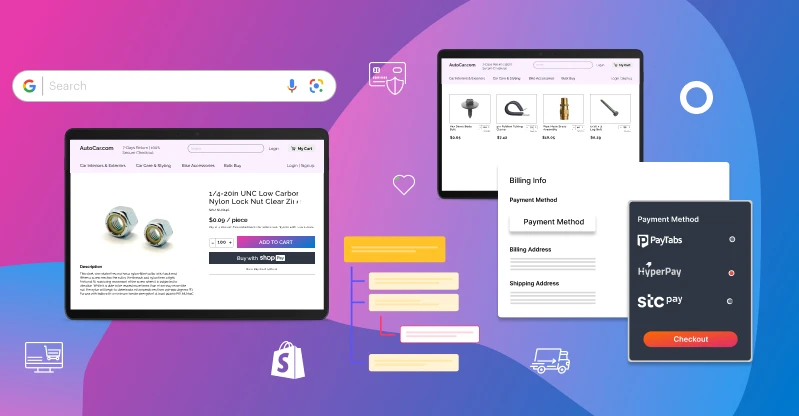
How to Optimise B2B eCommerce Site for Better Customer Experience
Adding more features does not automatically improve UX. The objective is to remove unnecessary effort throughout the buying journey.
Map Real Customer Journeys
Interview customers, sales representatives, customer-service teams and account managers.
Identify:
- Why customers visit the website
- Which tasks take the most time
- Where buyers abandon the process
- Which questions repeatedly reach support teams
- Which offline processes could be digitised
- Which information buyers struggle to find
These findings should guide the website roadmap.
Simplify Navigation
Organise products according to how customers search rather than how internal departments classify them.
Use familiar category labels, consistent menus and relevant filters. Important tools such as quick ordering, quotations, saved lists and account management should remain easy to reach.
Avoid displaying every feature at once. Show information progressively so buyers can focus on the current task.
Improve Speed and Technical Performance
Slow pages interrupt product research and make large catalogues difficult to use.
Performance improvements may include:
- Compressing product images
- Optimising scripts
- Limiting unnecessary applications
- Improving caching
- Using a content delivery network
- Monitoring Core Web Vitals
- Optimising search and database queries
A headless eCommerce architecture may provide greater frontend flexibility and performance for businesses with complex experience requirements.
Integrate Frontend and Backend Systems
A polished interface cannot create a reliable experience if it displays outdated inventory, pricing or order information.
The eCommerce platform may need to connect with:
- ERP systems
- CRM platforms
- Product information systems
- Warehouse management software
- Order management systems
- Payment providers
- Procurement platforms
- Customer-service tools
These integrations help provide accurate information while reducing duplicate data entry and manual processing.
Test with Actual B2B Buyers
Internal teams already understand company terminology and purchasing rules. Customers may not.
Usability testing should therefore involve representative buyers completing real tasks, such as:
- Finding a specific product
- Requesting a quote
- Creating a bulk order
- Adding a colleague
- Approving a purchase
- Downloading an invoice
- Reordering previous items
Observe where users hesitate, make mistakes, or require assistance. These moments reveal more than general design opinions.
How Can AI Improve B2B eCommerce UX?
AI can improve B2B eCommerce UX when it helps buyers complete meaningful tasks. It should reduce effort rather than add another distracting layer to the website.
Practical applications include:
Intelligent Search
AI-powered search can recognise intent, synonyms, technical terminology and common typing errors. It can also rank results using account history, industry and previous purchasing behaviour.
Personalised Product Recommendations
Recommendations can be based on past orders, compatible products, account-specific catalogues and typical replenishment cycles.
For B2B buyers, relevance is more useful than generic “trending product” suggestions.
Predictive Reordering
AI can identify likely replenishment needs and remind buyers when frequently purchased products may be required again.
Customers should always remain in control of the final order.
Conversational Product Assistance
An AI assistant can help customers:
- Locate products
- Compare specifications
- Check order status
- Find documentation
- Navigate account features
- Answer routine questions
Responses should use approved product and account data rather than unreliable general information.
Sales and Service Support
AI can help teams prioritise quote requests, detect buying signals and identify accounts that may require assistance. Human representatives can then intervene at the right point in the journey.
Before implementing AI, businesses should establish clean product data, connected systems and appropriate security controls. Poor information cannot produce a reliable AI experience.
Common B2B UX Mistakes to Avoid
Even feature-rich websites can create friction when the experience is not properly planned.
Avoid:
- Requiring buyers to contact sales for basic product information
- Hiding prices without a clear commercial reason
- Using consumer-style navigation for complex technical catalogues
- Making customers enter the same information repeatedly
- Offering search that cannot recognise SKUs or part numbers
- Forcing large orders through a standard retail cart
- Ignoring mobile approval and account-management tasks
- Displaying outdated inventory or delivery information
- Adding AI tools without reliable source data
- Treating every customer account in the same way
Good B2B UX is not measured by the number of features available. It is measured by how easily customers can complete the right tasks.

How to Choose the Best B2B eCommerce Design Company
The best B2B eCommerce design company should understand both customer experience and operational complexity.
Before selecting a partner, ask whether the company can:
- Conduct buyer and stakeholder research
- Map complex purchasing journeys
- Design account-specific experiences
- Develop bulk ordering, RFQ and approval workflows
- Integrate ERP, CRM, PIM and OMS systems
- Improve accessibility and mobile usability
- Build scalable platform architecture
- Measure performance after launch
- Support continued optimisation
Look beyond attractive design portfolios. The right partner should be able to explain how each recommendation will improve buyer efficiency, business operations or conversion performance.
Build a B2B Experience Buyers Will Prefer
A successful B2B platform gives customers the speed of modern eCommerce without removing the commercial rules their organisation depends on.
Clear product information, account-specific pricing, powerful search, self-service tools, bulk ordering and connected backend systems can turn a complicated purchasing process into a dependable digital experience.
Magneto IT Solutions combines B2B commerce strategy, UX design, platform development and system integration to build scalable experiences around real buyer needs.
Whether you are replacing a legacy portal, digitising manual sales processes or building a new B2B channel, our team can help you define the right roadmap.
Speak with our B2B eCommerce specialists to create a faster, more useful and conversion-focused buying experience.
FAQs
 What is B2B eCommerce UX design?
B2B eCommerce UX design is the process of making an online business-purchasing platform easy and efficient to use. It considers complex requirements such as account pricing, bulk ordering, approval workflows, quotations, multiple users, and backend integrations.
What are the key features of good B2B UX for online platforms?
Important features include intelligent search, detailed product data, negotiated pricing, quick ordering, quote management, role-based accounts, flexible payments, self-service tools, and responsive mobile access. The right combination depends on the customers and purchasing processes of the business.
How can a B2B eCommerce website increase conversions?
A B2B website can increase conversions by reducing the effort needed to find products, confirm pricing, obtain approval and complete an order. Accurate information, faster performance, simplified forms, and relevant account features also reduce abandonment.
Is B2B eCommerce UX different from B2C UX?
Yes. Both should be intuitive, but B2B platforms usually support larger orders, multiple stakeholders, negotiated terms, purchase orders, quotations, and more complex product information. The UX must simplify these requirements without removing them.
How can AI improve B2B eCommerce UX?
AI can improve product search, recommend relevant items, predict replenishment needs, support buyers conversationally, and help sales teams identify accounts requiring assistance. Its effectiveness depends on reliable data, integrations, and appropriate oversight.